
Best 5 Laptop Stands in the UAE for 2026
A laptop stand can make a desk more comfortable by raising your screen closer to eye level. It can also improve airflow around your laptop and create space for a keyboard or other accessories. For many people, a stand offers a simple way to improve posture without replacing their laptop.

Laptop stands come in several forms, including fixed, adjustable, folding, and portable models. The best choice depends on your laptop’s size and weight, the stand’s stability and height range, and how easily you need to move or store it. We considered these factors, along with build quality and price, to identify the stands most suited to different desks and working habits.
Best Laptop Stands
We tested and compared laptop stands to find the best options for different needs and budgets. Our list considers stability, adjustability, portability, build quality, and value.
UGREEN Adjustable Laptop Stand

We recommend this stand for users who want a compact, adjustable design that raises a laptop for a more comfortable viewing angle.
Pros
- Sturdy aluminium construction with a stable triangular base
- Five height settings and a foldable design
- Silicone pads help protect the laptop and desk
Cons
- Thick or heavy gaming laptops may not fit as securely
- The raised position may require an external keyboard and mouse
- Silver is the only listed colour
The UGREEN stand supports laptops and other devices from 8 to 17.3 inches. Its five height settings allow us to adjust the screen position, which may help reduce hunching during desk work.
A hollow design allows air to move beneath the laptop. This can support heat dissipation, although it does not replace active cooling for demanding tasks.
When folded, the stand takes up little space and comes with a storage sleeve. That makes it suitable for travel, shared workspaces, or users who pack away their desk setup.
The aluminium body keeps the stand light while providing a firm base. Silicone contact points add grip, but users with larger or thicker laptops should check the fit before buying.
Amazon Basics Ventilated Laptop Stand

We recommend this stand for users who want adjustable viewing angles, improved airflow, and support for laptops up to 17.3 inches.
Pros
- Seven viewing positions support more comfortable screen placement.
- Steel mesh helps improve airflow around the laptop.
- Anti-slip pads help keep the stand steady on a flat desk.
Cons
- Higher settings may offer less stability.
- Heavy laptops may feel less secure than lighter models.
- An external keyboard works better for extended typing.
The stand raises the screen to support a more comfortable posture during desk work. Its adjustable design lets us choose between lower, steadier angles and higher positions that improve viewing comfort.
A steel mesh surface allows air to move beneath the laptop, which may help manage heat during demanding tasks. The open design also leaves space for cables at the rear.
The stand fits laptops from 10 to 17.3 inches, but stability can vary with a device’s weight, thickness, and balance. We should place the laptop in the centre and use the stand on a flat, stable surface.
It suits browsing, video calls, and light typing. For long typing sessions, we should pair it with an external keyboard because the raised laptop position may feel less stable during firm keystrokes.
SOUNDANCE Aluminium Laptop Stand
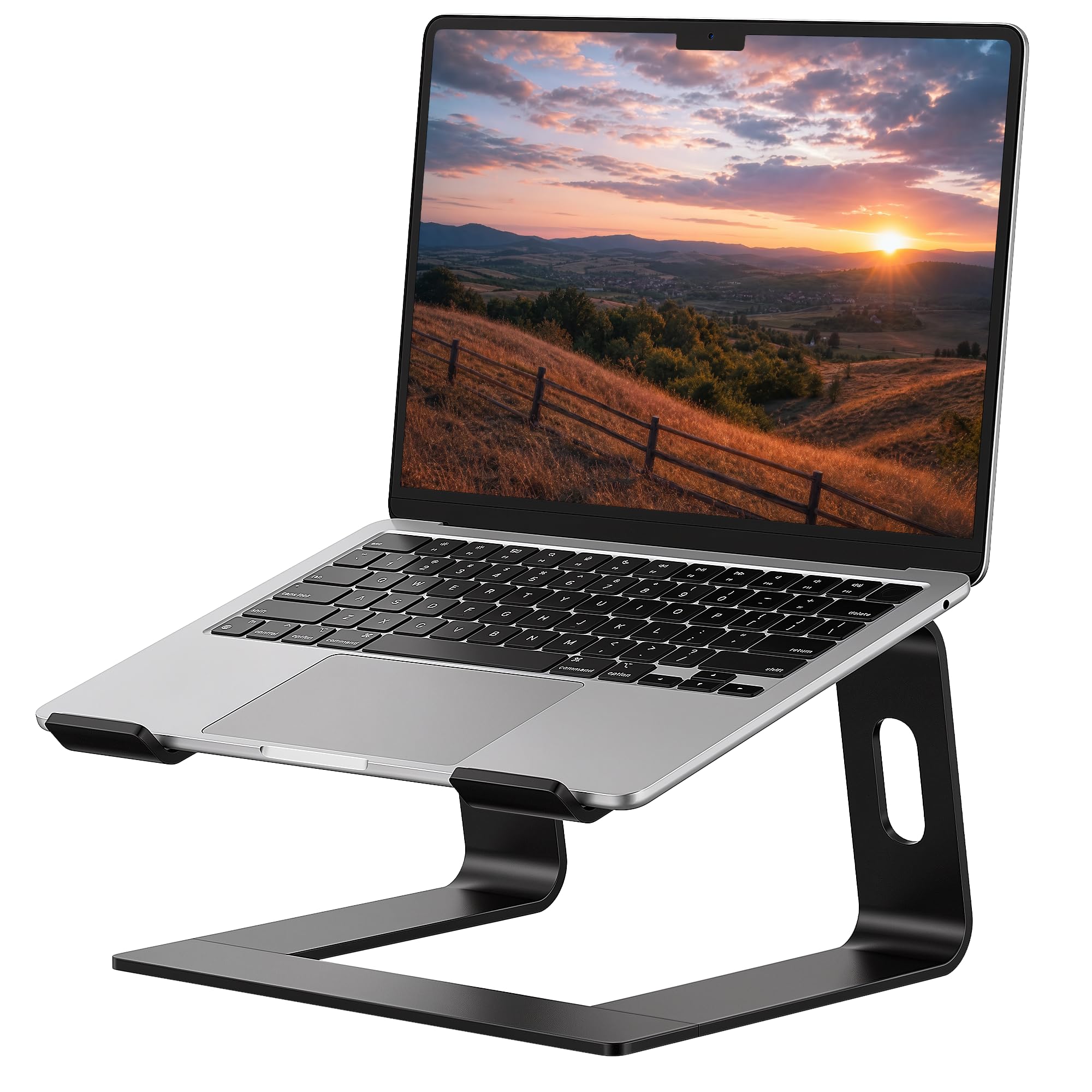
We recommend this stand for desk users who want a sturdy, raised platform for laptops up to 15.6 inches.
Pros
- Stable aluminium build with non-slip pads
- Raises the screen to a more comfortable viewing height
- Leaves room underneath for a keyboard or other desk items
Cons
- The height and angle cannot be adjusted
- Not designed for laptops larger than 15.6 inches
- Detachable design may feel bulky for regular travel
The SOUNDANCE stand uses a metal frame with rubber contact points to help keep a laptop steady. Its open design also leaves space beneath the computer, which can help organise a desk setup.
The fixed six-inch lift can support a more upright viewing position than placing a laptop directly on a desk. We should pair it with an external keyboard and mouse for longer typing sessions.
This model breaks into three parts without tools, making storage easier. However, its fixed shape limits flexibility, and its size may not suit larger laptops despite some user reports of using it with 16-inch models.
With a strong customer rating and a simple design, this stand suits home and office desks best. We should check the laptop’s size before buying, especially if it exceeds the stated 15.6-inch limit.
Tounee Adjustable Laptop Stand

We recommend this stand for users who want a sturdy, space-saving way to switch between sitting and standing while working.
Pros
- Wide height adjustment for seated or standing use
- Metal build supports laptops up to 17 inches
- Folds for easier storage and transport
Cons
- Some buyers question the advertised maximum height
- Its adjustment mechanism may feel stiff
- A separate keyboard and mouse work better for raised use
The Tounee LS07 gives us a flexible setup without taking up much desk space. Its telescopic design lets us raise the laptop screen, while the pull-out platform supports different working positions.
The metal construction should provide a stable base for compatible laptops. Customer feedback also highlights its firm feel and limited wobble, including when the stand sits at a higher position.
This model suits laptops from 10 to 17 inches and folds down when we need to clear the desk. However, some reviews dispute the claimed 21-inch maximum height, so we should check the actual adjustment range before buying.
A separate keyboard and mouse will make standing use more comfortable. Typing directly on a raised laptop may feel less practical because the screen and keyboard sit at different heights.
Lamicall 360° Rotating Laptop Stand
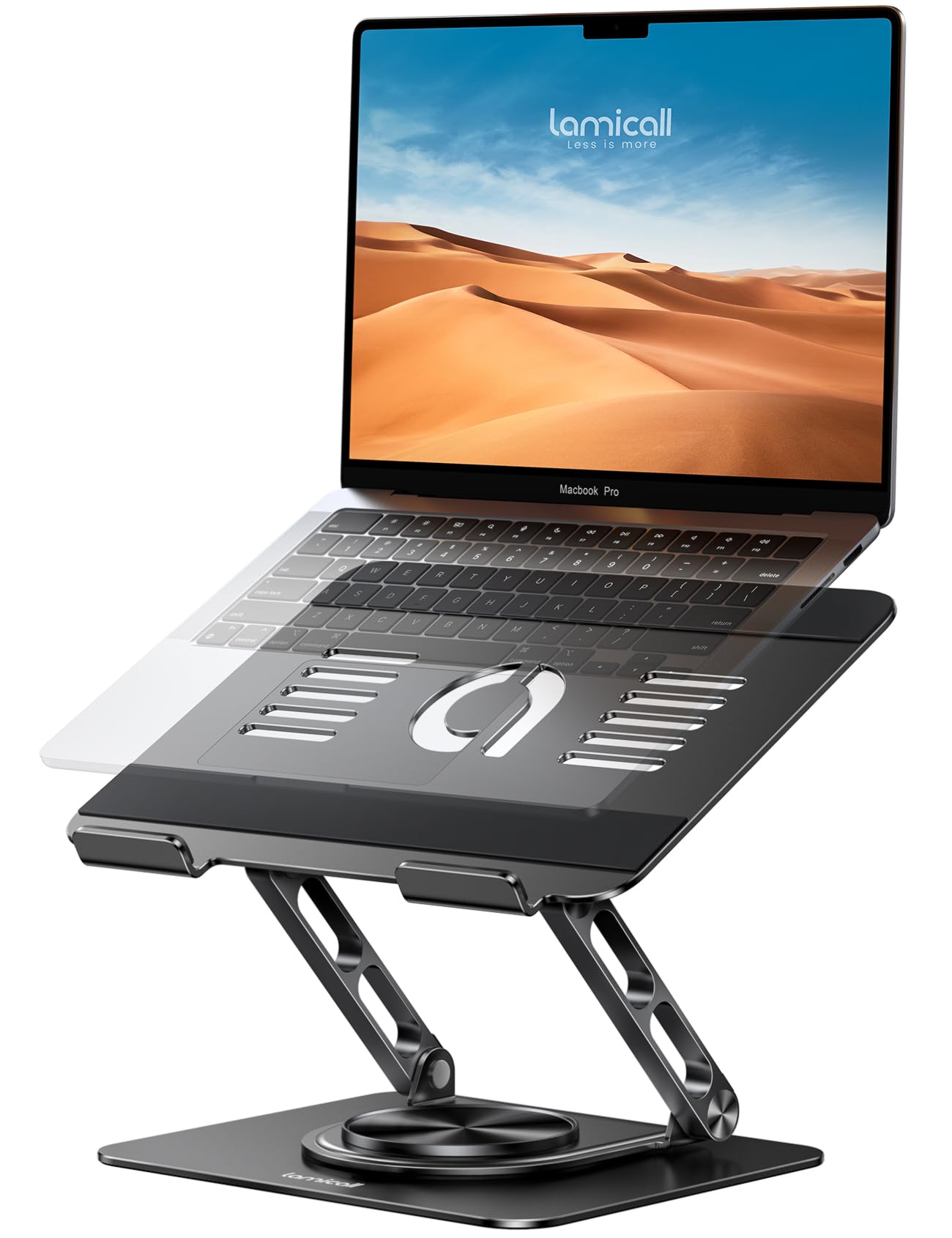
We recommend this stand for users who want a sturdy, adjustable riser with a rotating base for laptops up to 17.3 inches.
Pros
- Rotates fully for sharing screens
- Adjustable height and viewing angle
- Foldable design with strong aluminium construction
Cons
- Some units may not sit perfectly level
- Larger laptops may need careful adjustment
- Costs more than basic fixed stands
The Lamicall stand raises a laptop to a more comfortable viewing height, which can help us maintain a better desk posture. Its adjustable design also suits setups with a second monitor.
A 360-degree rotating base lets us turn the screen without moving the whole stand. This can make presentations, meetings, and group work more convenient.
The wide platform supports many laptops from 10 to 17.3 inches. Ventilation openings and the aluminium build may also help airflow around the computer.
Its foldable frame supports easier storage and transport. However, user feedback suggests that some units may lean slightly, so we should check the stand’s alignment after assembly.
Buying Guide
We should choose a laptop stand based on our desk setup, laptop size, and preferred working position. A good stand should raise the screen to a comfortable height while keeping the keyboard and trackpad easy to use.
| Feature | What to look for |
|---|---|
| Height and angle | Adjustable settings help us align the screen with our eye level. |
| Stability | A wide, firm base reduces movement while we type. |
| Compatibility | We should check that the stand supports our laptop’s size and weight. |
| Portability | Folding or lightweight designs suit travel and shared workspaces. |
| Cooling | Open designs can allow more airflow around the laptop. |
| Materials | Metal often offers firm support, while plastic can reduce weight. |
We should check the stand’s dimensions before buying, especially if our desk has limited space. We also need to leave room for cables, a separate keyboard, or a mouse if the stand raises the laptop screen.
For long work sessions, we should prioritise adjustability and stability over appearance. If we often move between locations, we should look for a compact design that folds easily without adding much weight to our bag.
We should also consider the stand’s surface. Non-slip pads can help protect the laptop and keep it in place, while smooth edges reduce the risk of scratches during regular use.


Comments
Post a Comment